My 2026 Homelab Tour (Rack + Servers + Network + Storage)

My homelab has changed again… 2026.
This year turned into a full evolution: network upgrades, compute refreshes, storage testing, and a bunch of power/UPS changes that change how I run (and recover) everything.
Self-hosting guide next - subscribe for the follow up.
The wall of tech (everything that doesn’t fit the rack)
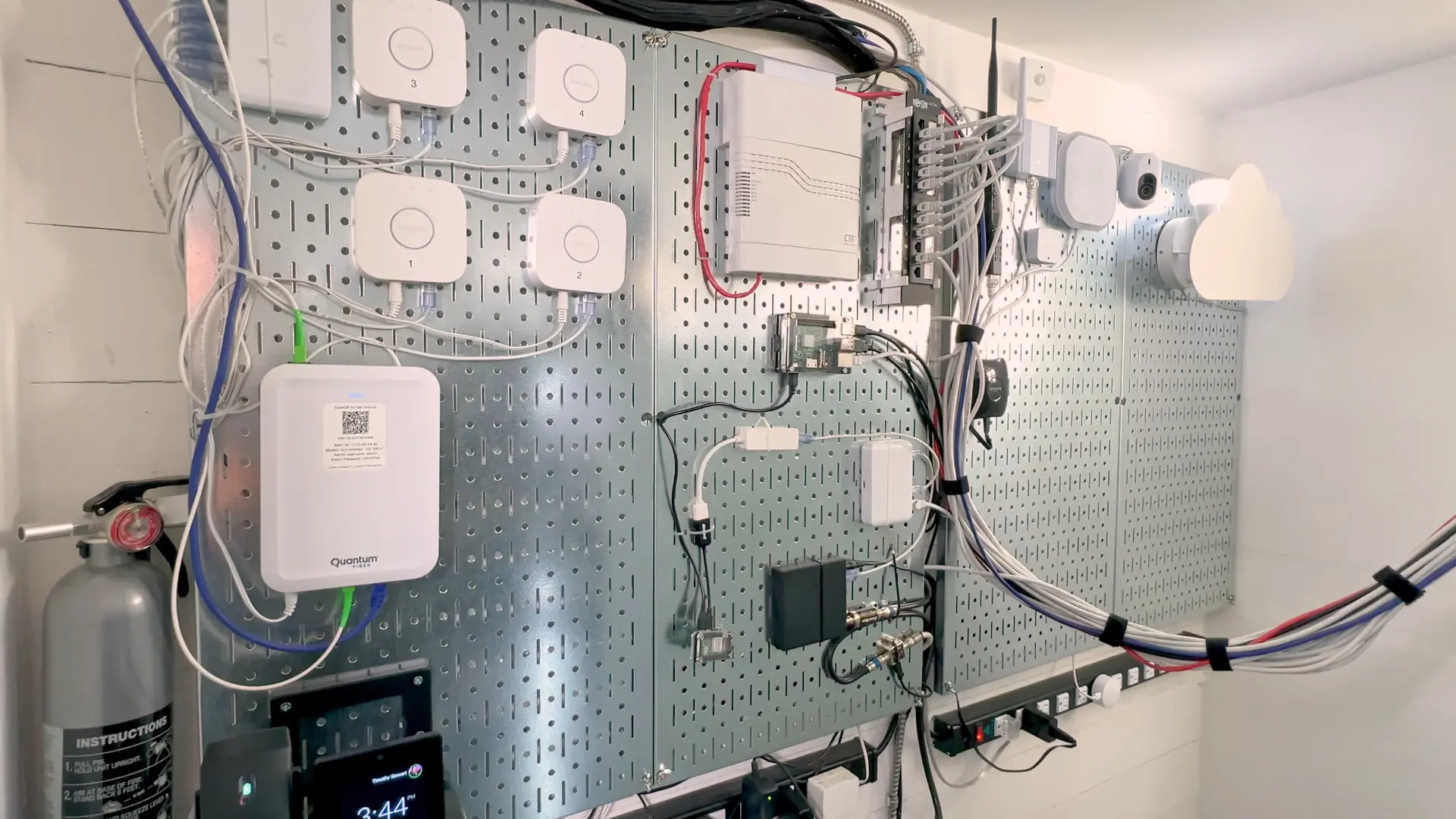
Before we even touch the rack, let’s start with the wall stuff that keeps everything running:
- Internet coming in: I have two fiber lines coming to the house - one buried line coming in from the front, and one coming in from the back of the house overhead/from the pole - but I’ve fully switched to one provider as the primary which is Quantum Internet.
- Old fiber ONT: my previous fiber gear is still here, but currently unplugged. USI, while great, is twice the price and half the speed of Quantum. I used them for years, and a great service, but I am able to have fiber internet with Quantum + T-Mobile 5G Home Internet as a backup for the same price. USI needs to lower their price now that they have real competition.
- Backup internet (5G): my backup right now is T-Mobile Home Internet over 5G - it’s cheaper than keeping a second fiber line, and it’s already failed over a few times without issues when my primary internet goes down. I was also hoping to use it with the UniFi 5G Max, but the SIM is locked to T-Mobile’s gateway.
- UniFi phone: mounted on a 3D-printed bracket from earlier testing (I don’t run UniFi Talk full time, I was only testing it).
- Hue hubs (yes, four): I still run multiple Hue hubs because of Hue Play - I have three Play setups, and each one needs its own hub.
- Small PoE switch (wall): PoE powers a small switch on the wall, which the Hue hubs connect through.
- Whole-home wiring: this is where all the home cable runs land; it’s older Cat5e, punched down and still doing the job (yes, even for 10Gb in places).
 The wall of tech
Power outages: coordinated shutdown
One of the most important reliability pieces I have in place is what happens when the power goes out.
- This Raspberry Pi was already here last year, still running NUT Server and talking to multiple UPS units over USB (all the USB cables you see plugged in).
- The goal is a controlled, coordinated shutdown (instead of hoping everything survives).
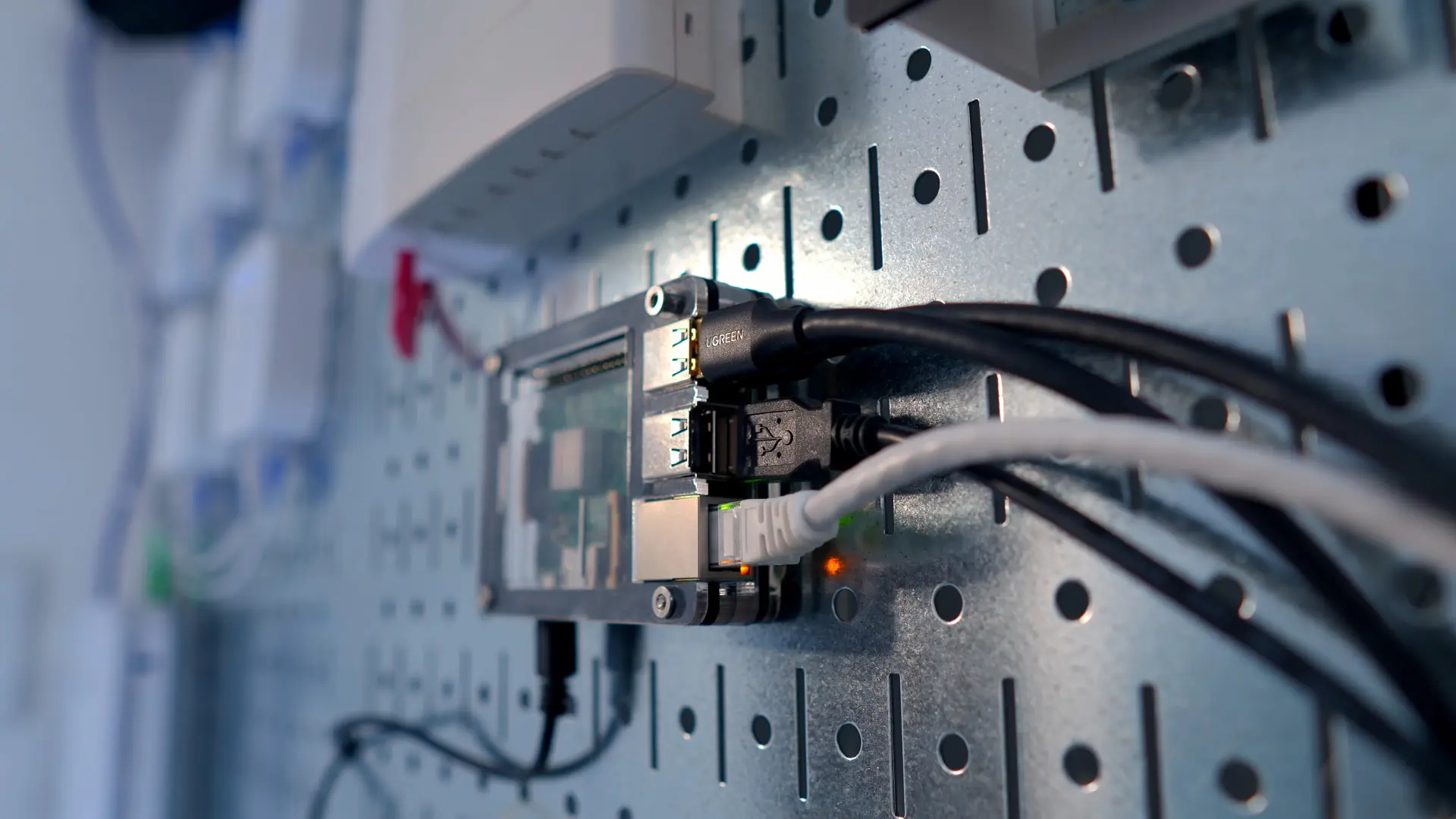 Raspberry Pi running NUT Server
Small note: if you’re rotating SSH keys with Ansible, add the new key first, make sure you can log in, then remove the old one - ask me how I know 🤦.
Backup DNS
- My Pi Zero was also here last year, still running Pi-hole as backup DNS if the rack is down.
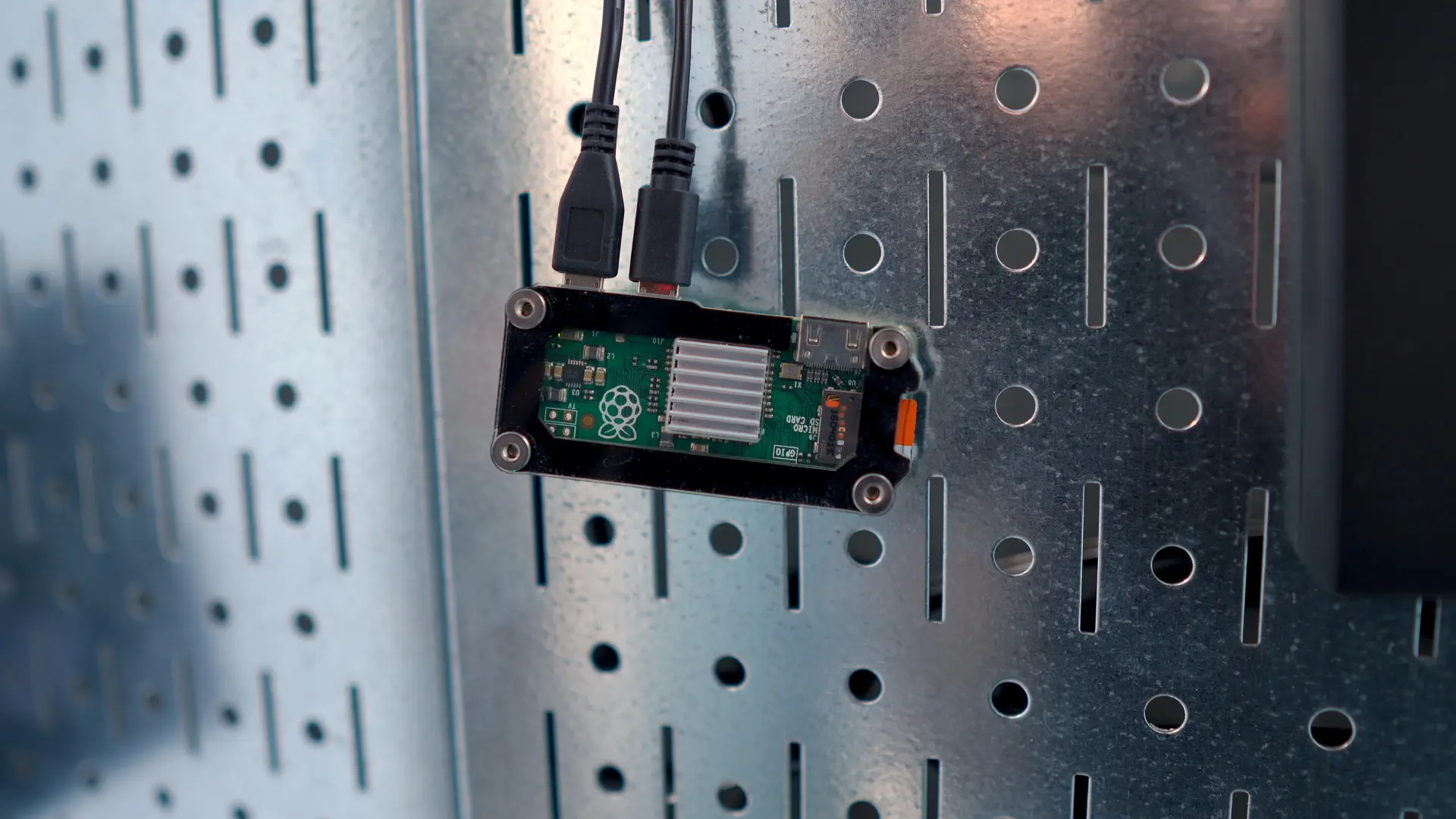 Pi Zero running Pi-hole for backup DNS
OTA TV
- An HDHomeRun provides over-the-air TV, connected into Plex for DVR/live TV.
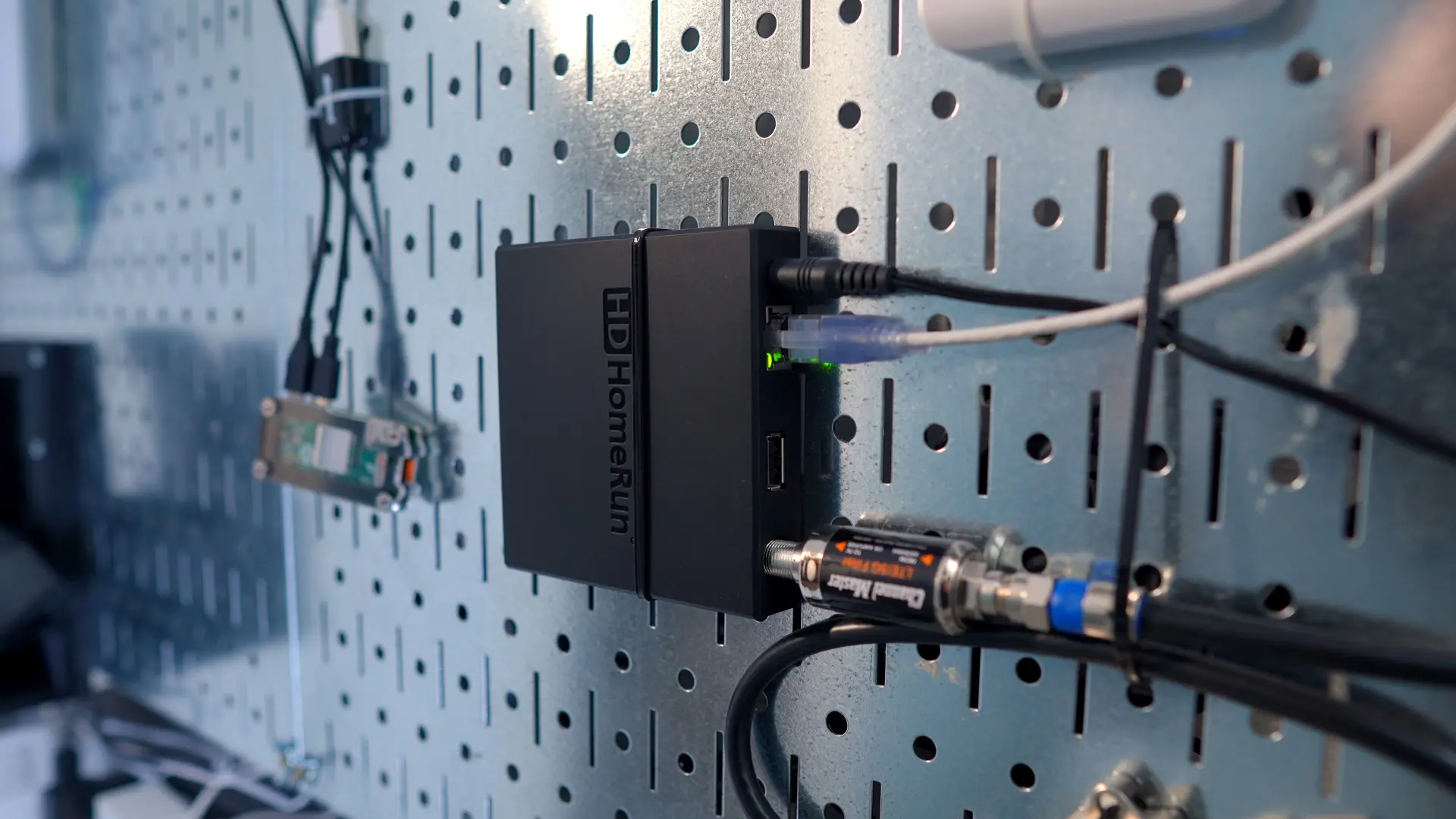 HDHomeRun for OTA TV
Wall power + battery backup
This whole wall is powered by power strips and backed up by a UPS, so all of this wall gear stays online when power flickers.
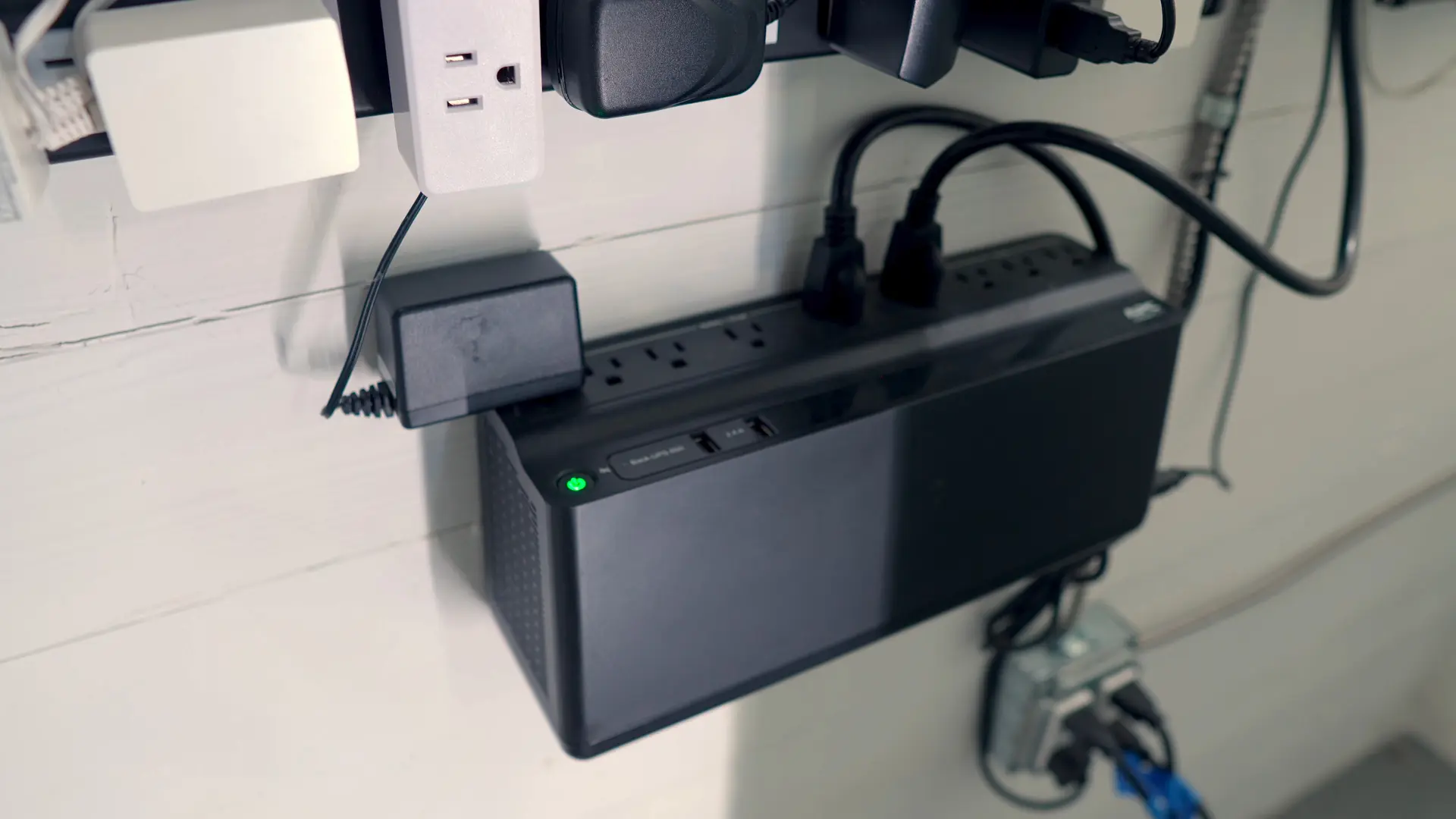 Wall UPS keeping the wall gear online
Zigbee, IoT, and the “make dumb stuff smart” corner
A few highlights from the wall-side automation gear:
- Broadlink: used for RF control to make a dumb ceiling fan act smart (including “remembering” its last state via automation).
- SMLIGHT (SLZB-06): running as my Zigbee coordinator, with ~80+ Zigbee devices (leak sensors, switches, motion sensors, etc.).
- UniFi Sensor (test gear): a UniFi motion sensor I was testing.
- UniFi SuperLink: testing UniFi’s closed sensor ecosystem (environment sensor + motion sensor).
- UniFi Siren: PoE powered; I’d love to tie this into smoke alarm / alerting in the future.
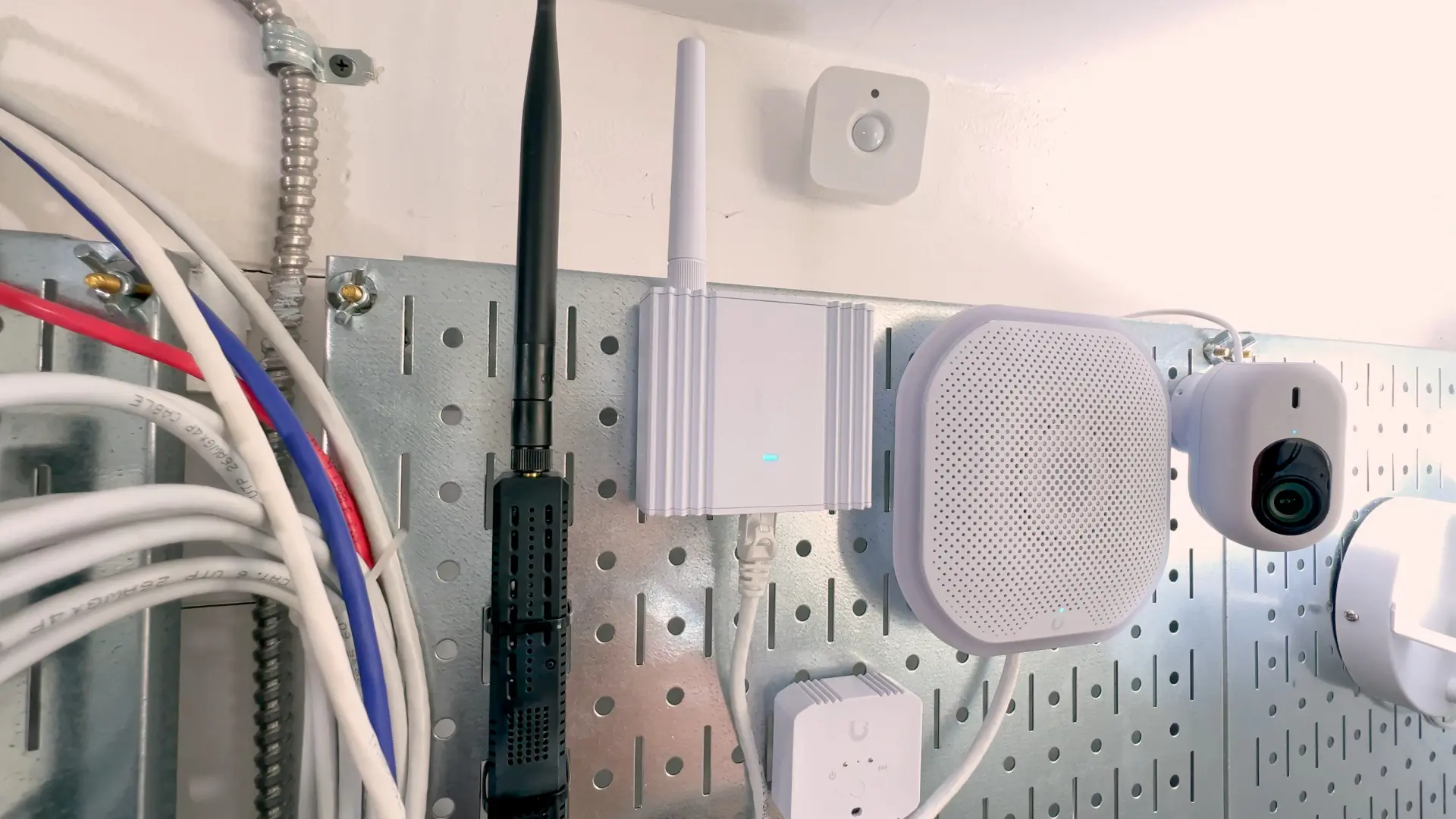 Zigbee, IoT, and the ‘make dumb stuff smart’ corner - Broadlink, SMLIGHT coordinator, UniFi sensors
The rack (network, storage, compute, and control)
The core switch upgrade
UniFi USW Pro XG 48 PoE
The big upgrade on the network side.
- 48 ports total (mix of 10GbE and 2.5GbE)
- All PoE+++
- 25Gb uplink ports (I’m using multiple uplinks/LAG to the gateway)
It’s also the first UniFi switch I’ve owned where I can actually hear the fan under load - not super loud, just noticeable when it’s moving air. 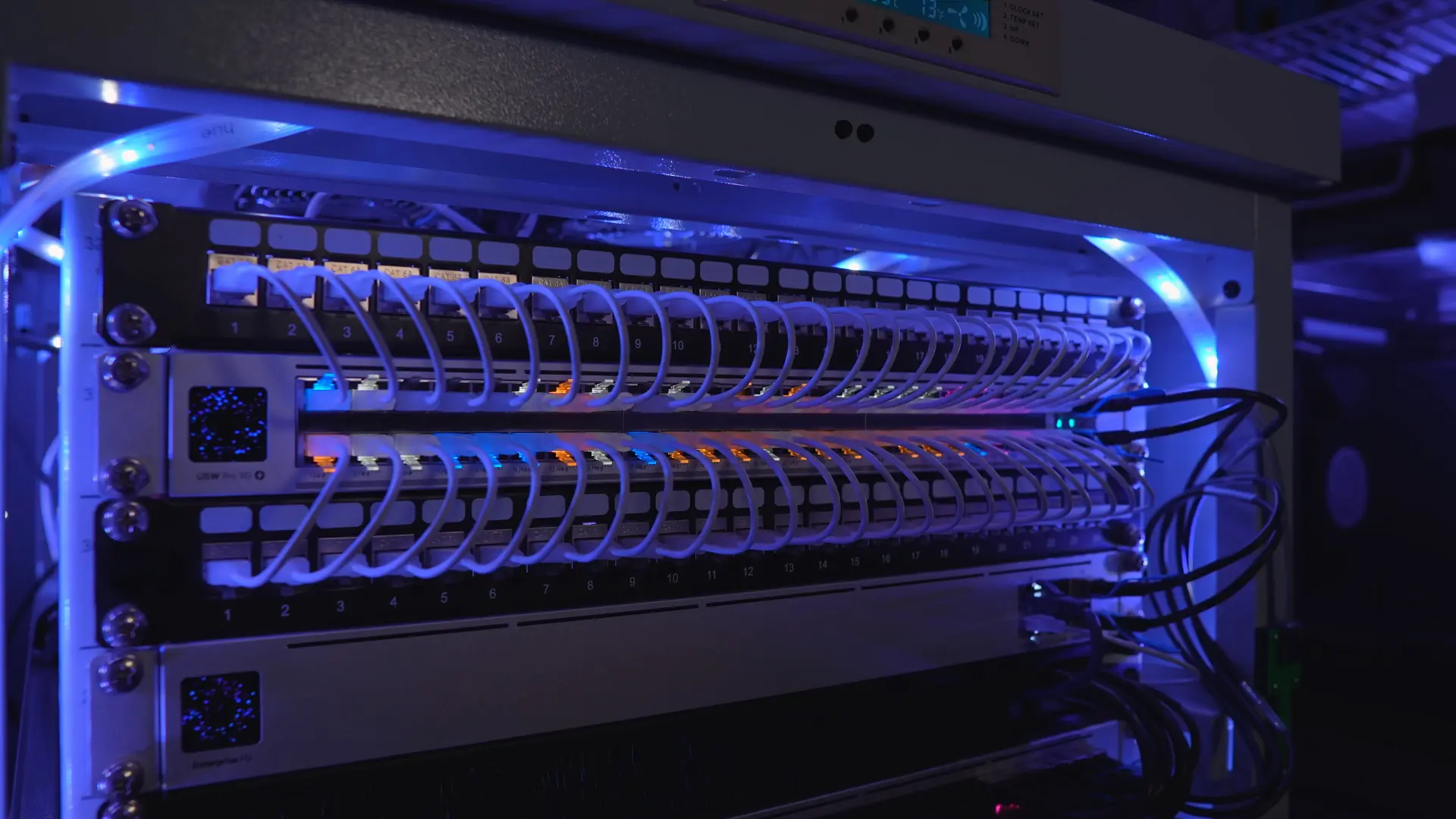 USW Pro XG 48 PoE with dark-mode LEDs
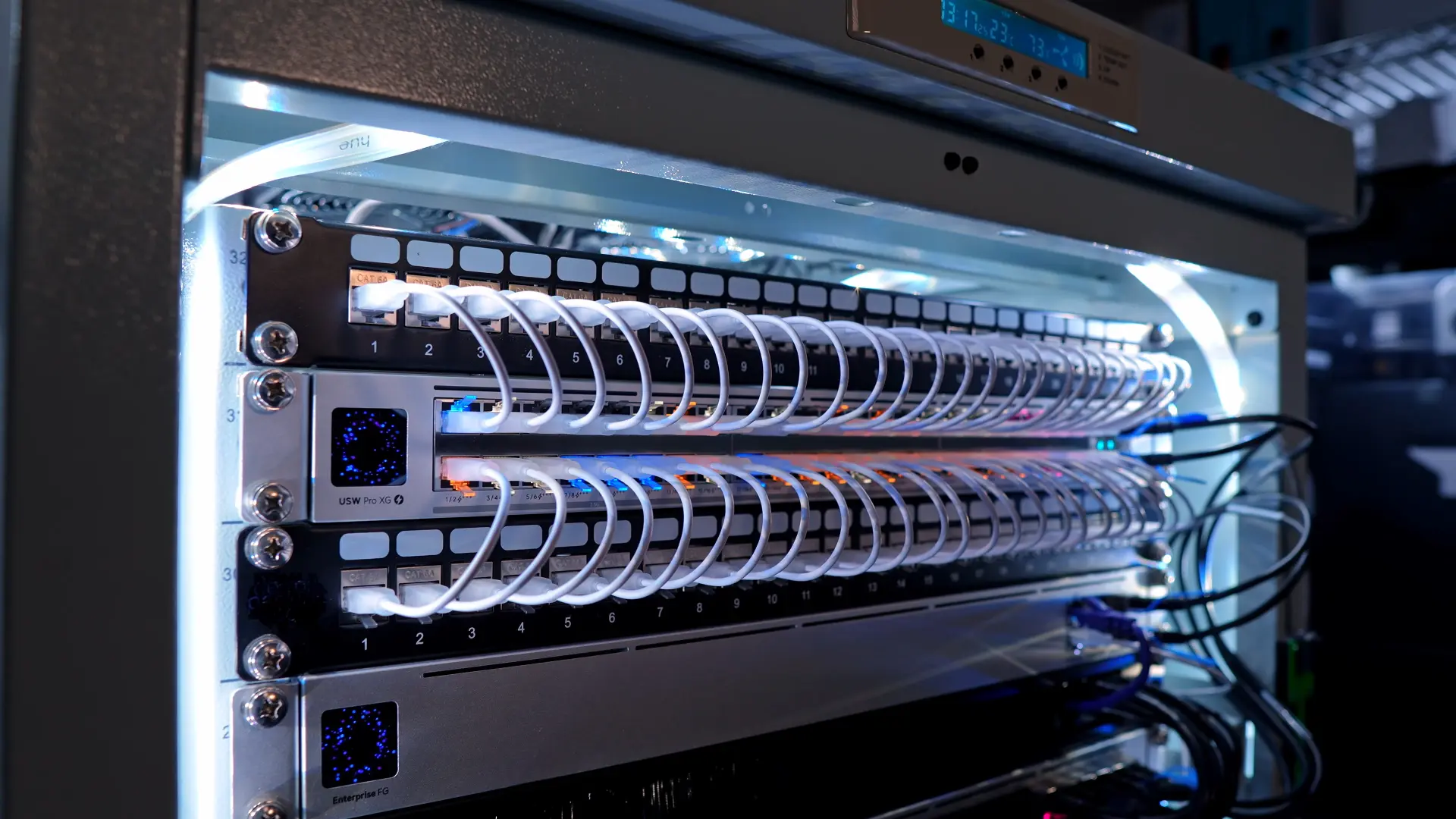 USW Pro XG 48 PoE with standard LED lighting
Gateway + core uplinks
UniFi EFG (25Gb gateway)
This is my core gateway and it’s way more than I need, but it gives me tons of headroom.
One reason this does make sense for my setup is that I can keep IDS/IPS turned on and still push around ~13 Gb/s, so I’m not forced to pick between security features and performance.
USW Pro XG Aggregation (25Gb)
This is the core aggregation switch upgrade that ties the backbone together and lets me build out faster uplinks through the rack. It’s also where all of my 10G links from the servers connect, and it’ll be a great down the road if/when I run fiber through the house.
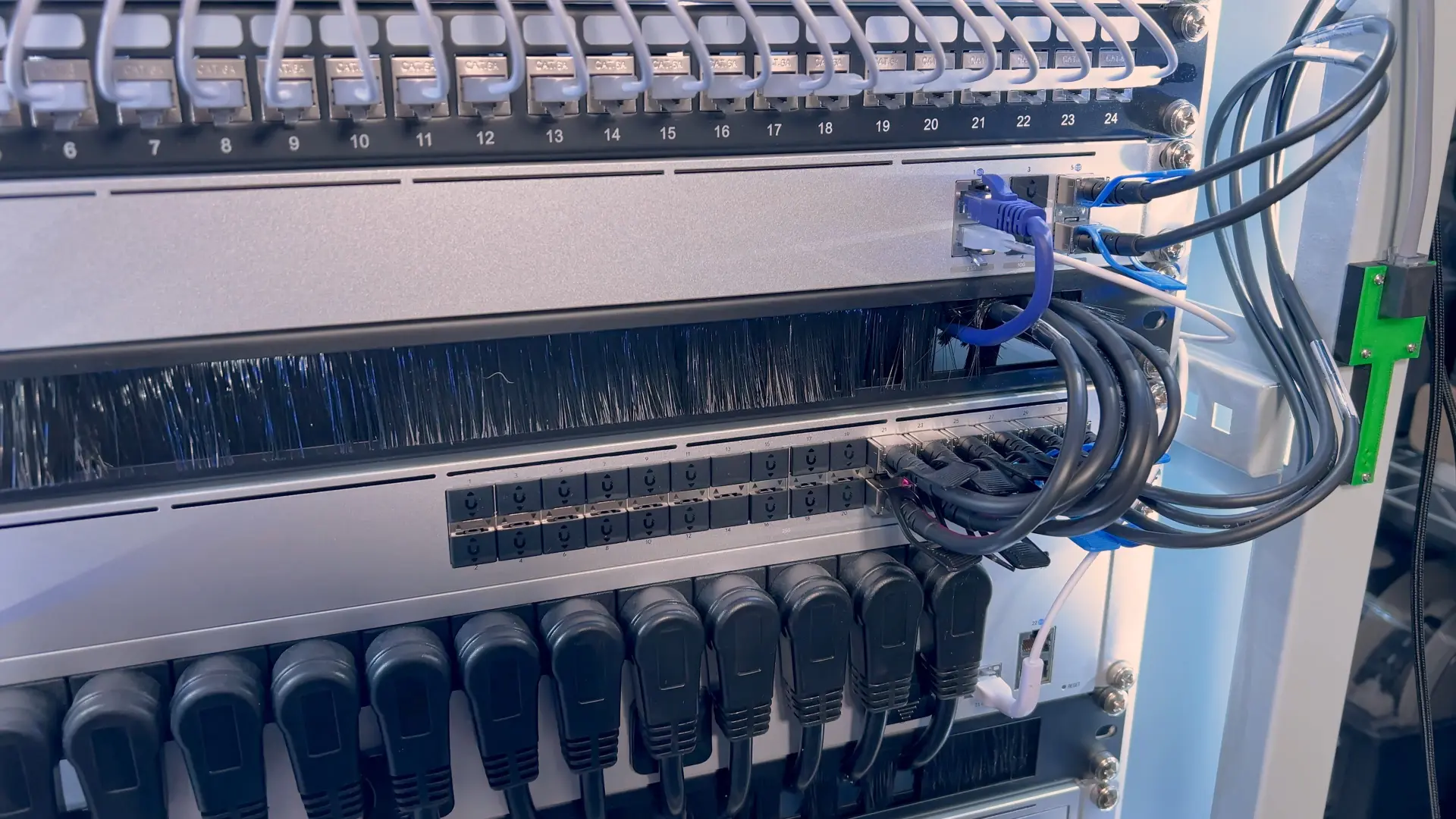 USW Pro XG Aggregation - 25Gb backbone connecting all servers
Remote power + clean cable paths
- USB PDU Pro: makes it easy to power-cycle individual devices remotely.
- I’m still working on cable cleanup - brush panels, cable routing, and making the front of the rack as clean as possible while still making efficient use of the space I have.
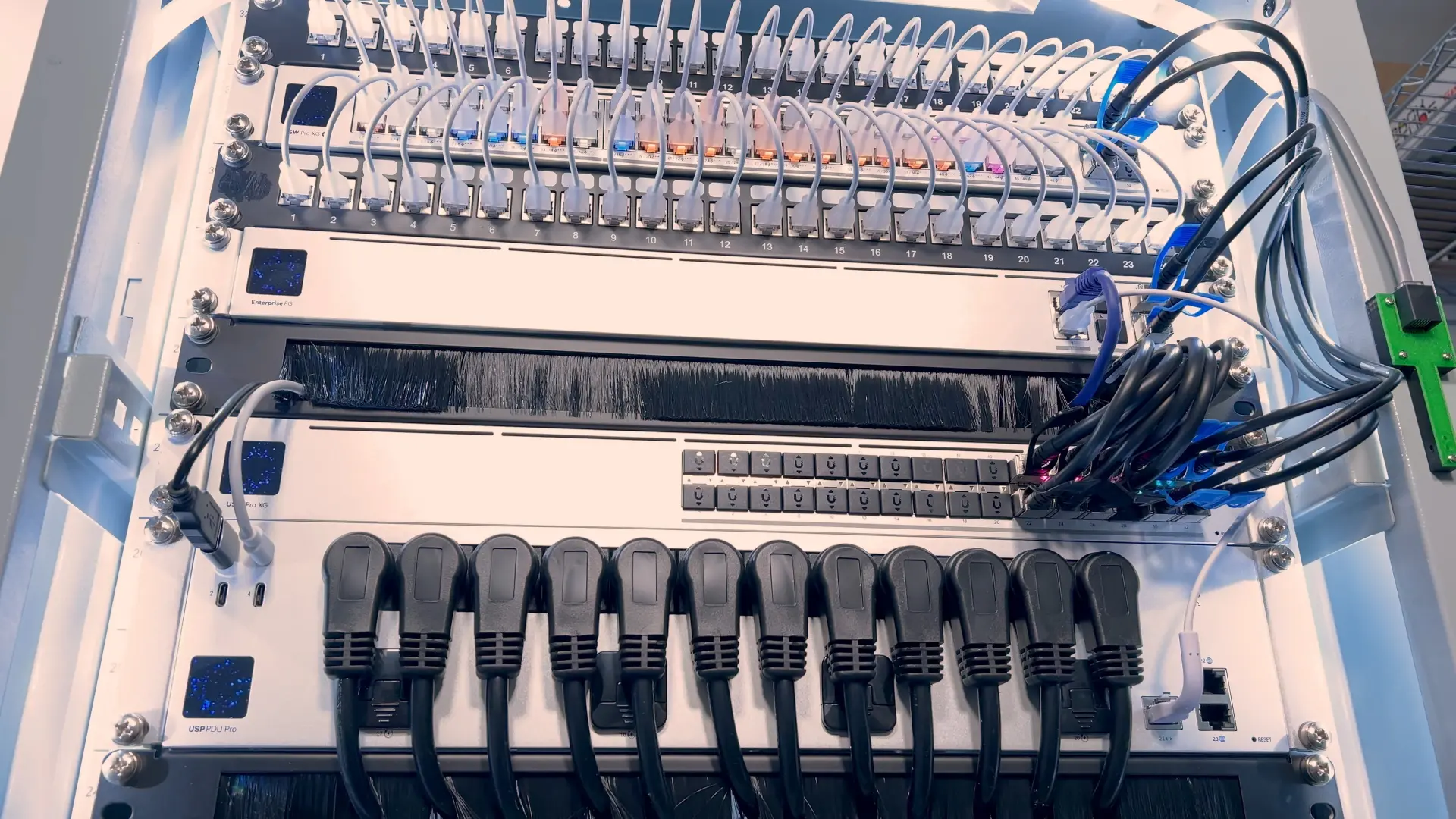 UniFi PDU Pro for remote power cycling and individual outlet management
Storage + cameras (keep it local)
UniFi UNVR (local Protect recordings)
My camera footage stays local on the UNVR.
It’s set up with four 8TB drives in RAID 5. I can get about 2 months of 24/7 recordings on 12 cameras. I love Protect and not relying on the cloud.
UPS strategy
I split UPS power into two buckets - networking and servers.
1U Eaton UPS (networking + PoE)
The 1U Eaton UPS is dedicated to all of the networking gear, so my network can stay up independently from my servers.
It also backs up the PoE switch, which keeps a lot of devices around the house online during an outage - access points, cameras, other switches, and more.
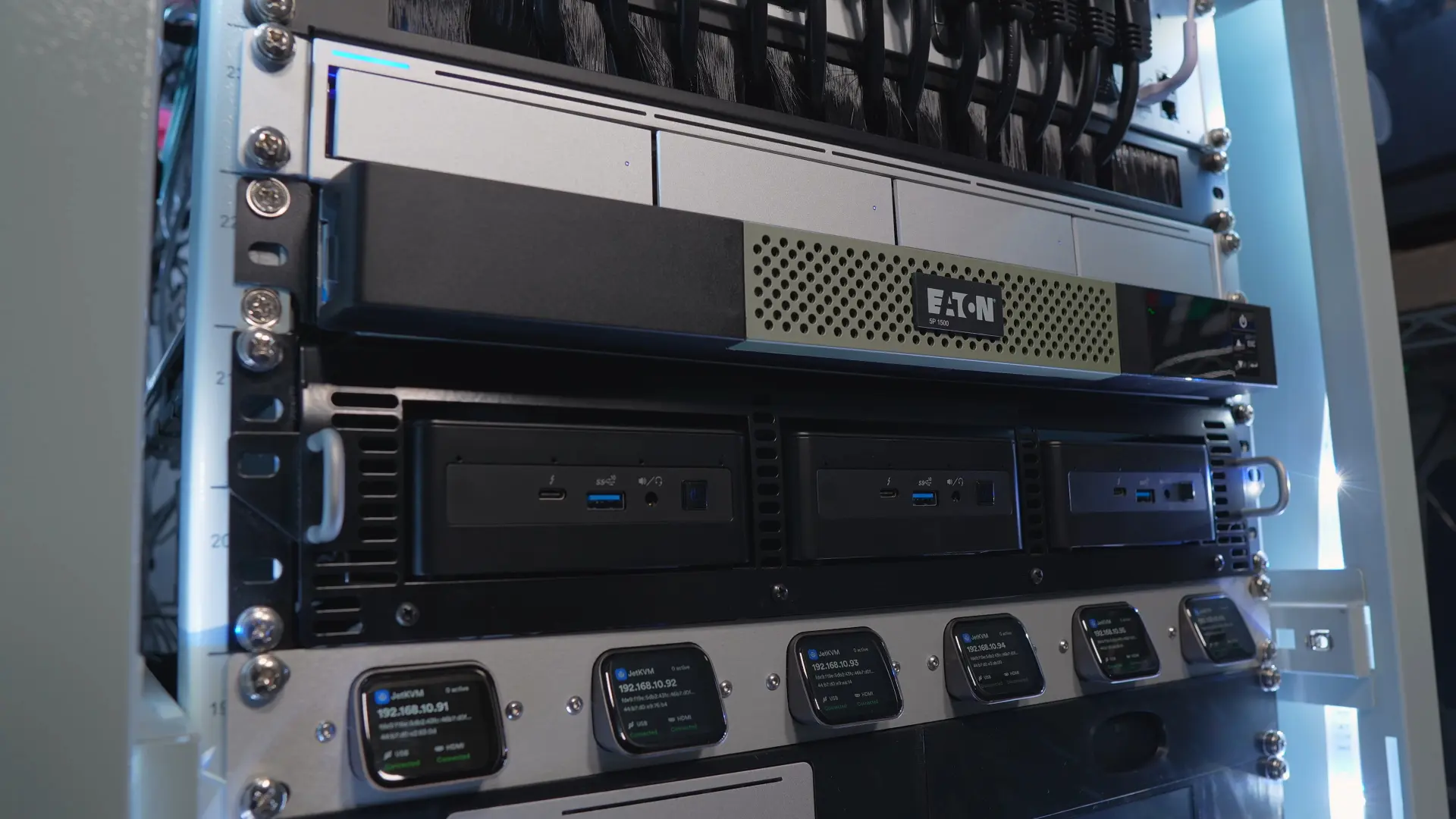 1U Eaton UPS - dedicated networking and PoE backup
Tripp Lite UPS + battery extension (servers)
The big UPS at the bottom powers the servers.
It’s a Tripp Lite with an external battery pack, and I typically see anywhere from ~60 to 100 minutes of runtime depending on the load.
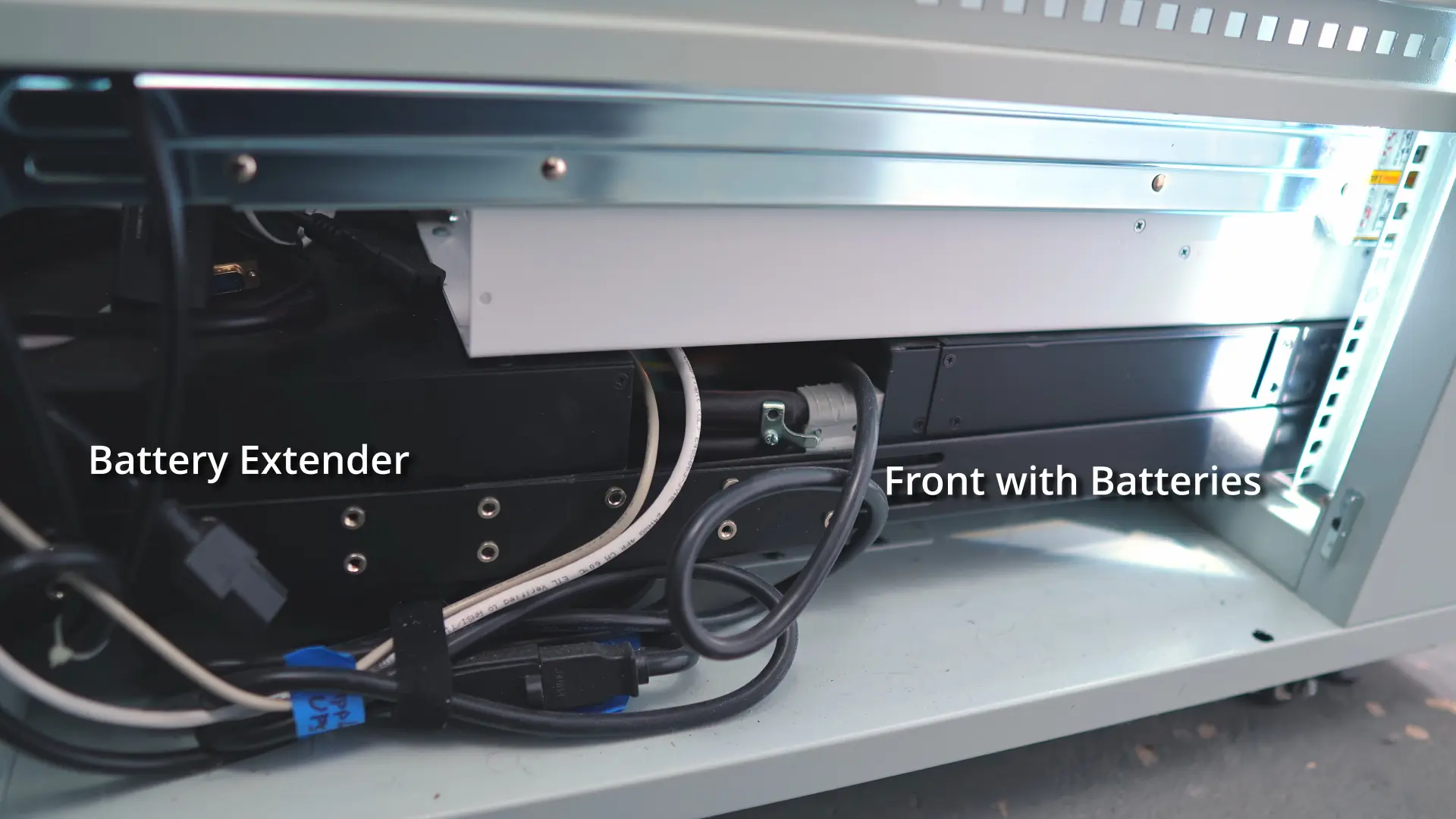 Tripp Lite UPS with external battery pack
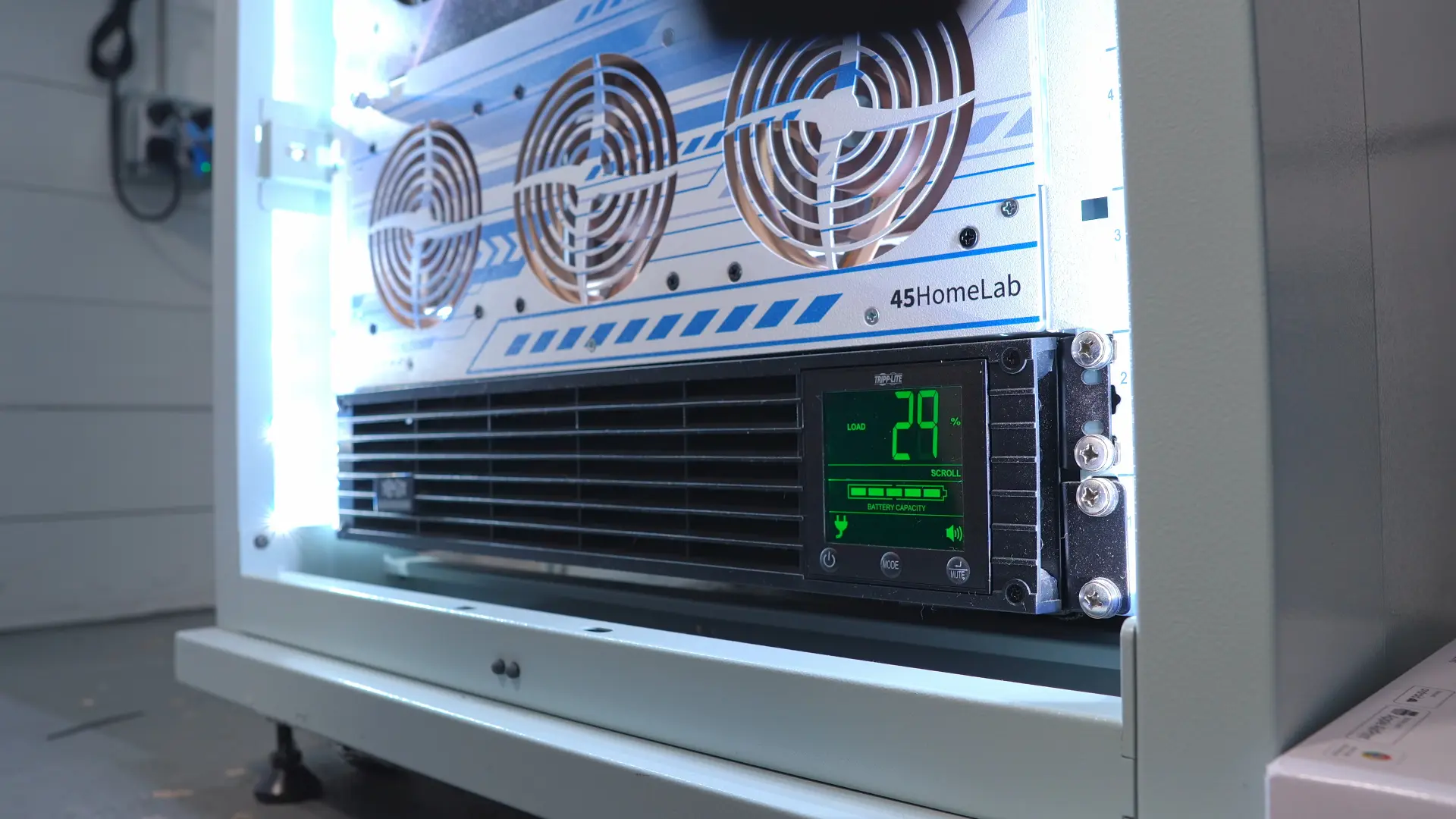 Tripp Lite UPS display showing estimated runtime
Proxmox cluster (compute + Kubernetes)
I’m still running a Proxmox cluster on a set of Intel NUCs.
- Clustered for a single pane of glass and easy migrations
- Kubernetes nodes inside Proxmox (plus VMs/LXCs for various workloads)
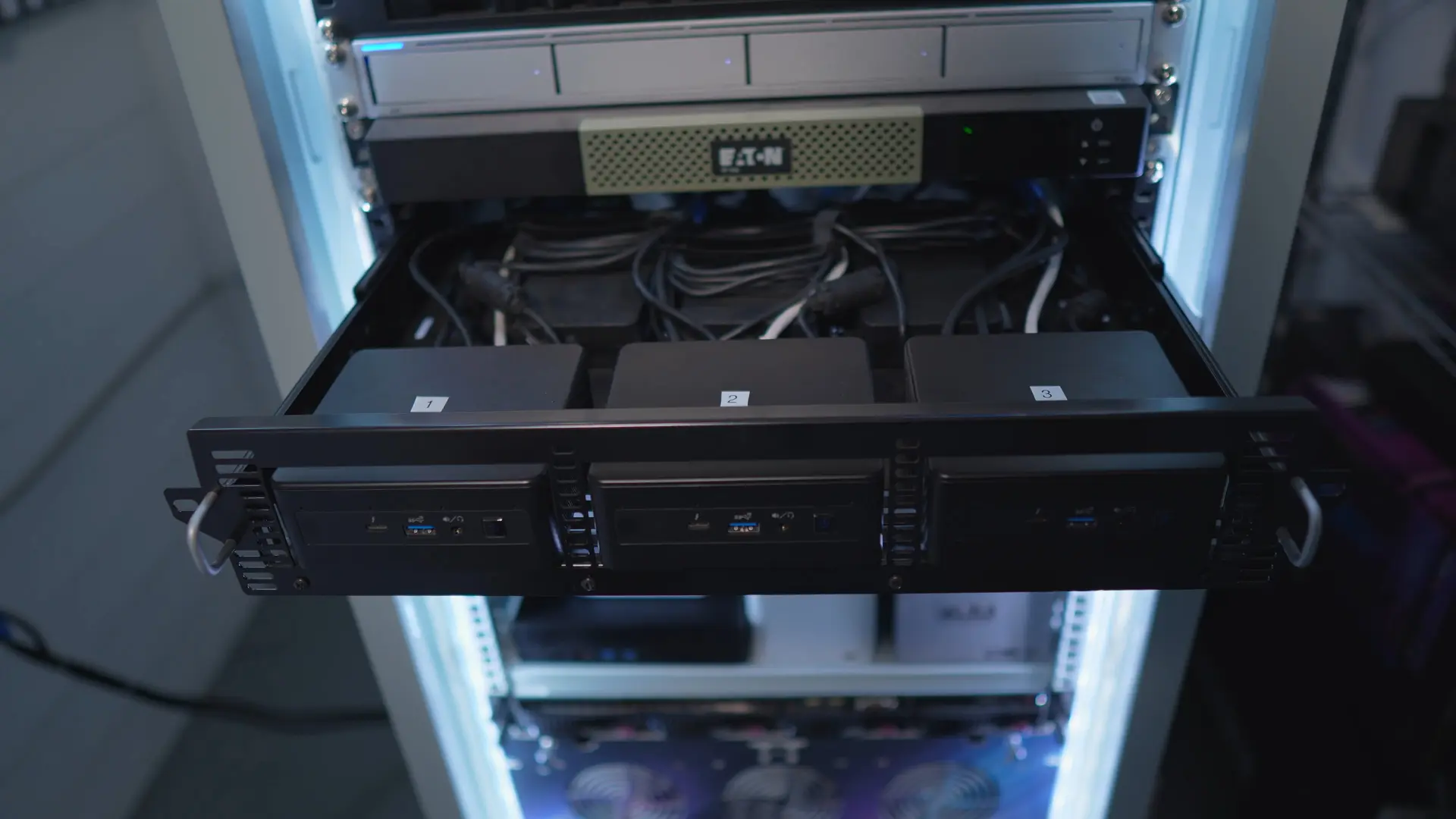 Intel NUC Proxmox cluster - running Kubernetes and various workloads
JetKVM row (remote console)
A whole row of JetKVMs gives me remote keyboard/video/mouse access over the network.
I have six of them in the rack, and they’re connected to six machines so I can get console access without dragging a monitor and keyboard around.
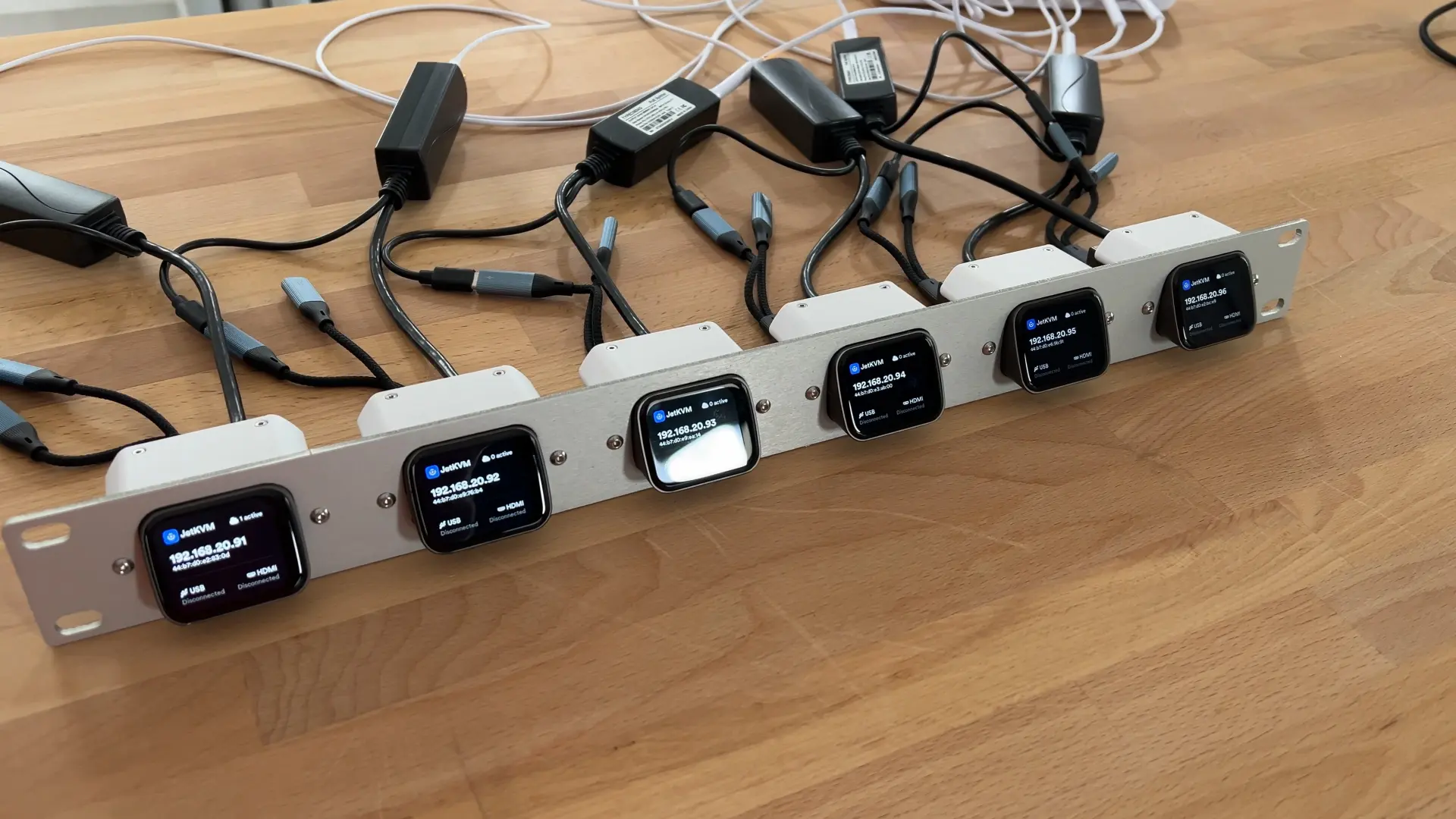 Six JetKVMs for remote console access to rack machines
UniFi AI + controller
AI Key + AI Port
- AI Key: adds smarter detections and summaries on top of Protect events (classify/describe/transcribe).
- AI Port: enables AI events on older or third-party cameras that can’t do it natively.
UniFi Cloud Key (controller)
An older Cloud Key I keep around for testing other UniFi apps (since the EFG only runs the UniFi Network App). The drive died, so I swapped it to an SSD.
Mini test box
Beelink EQ14
My small “test box” for containers - especially when I need to test Intel QuickSync.
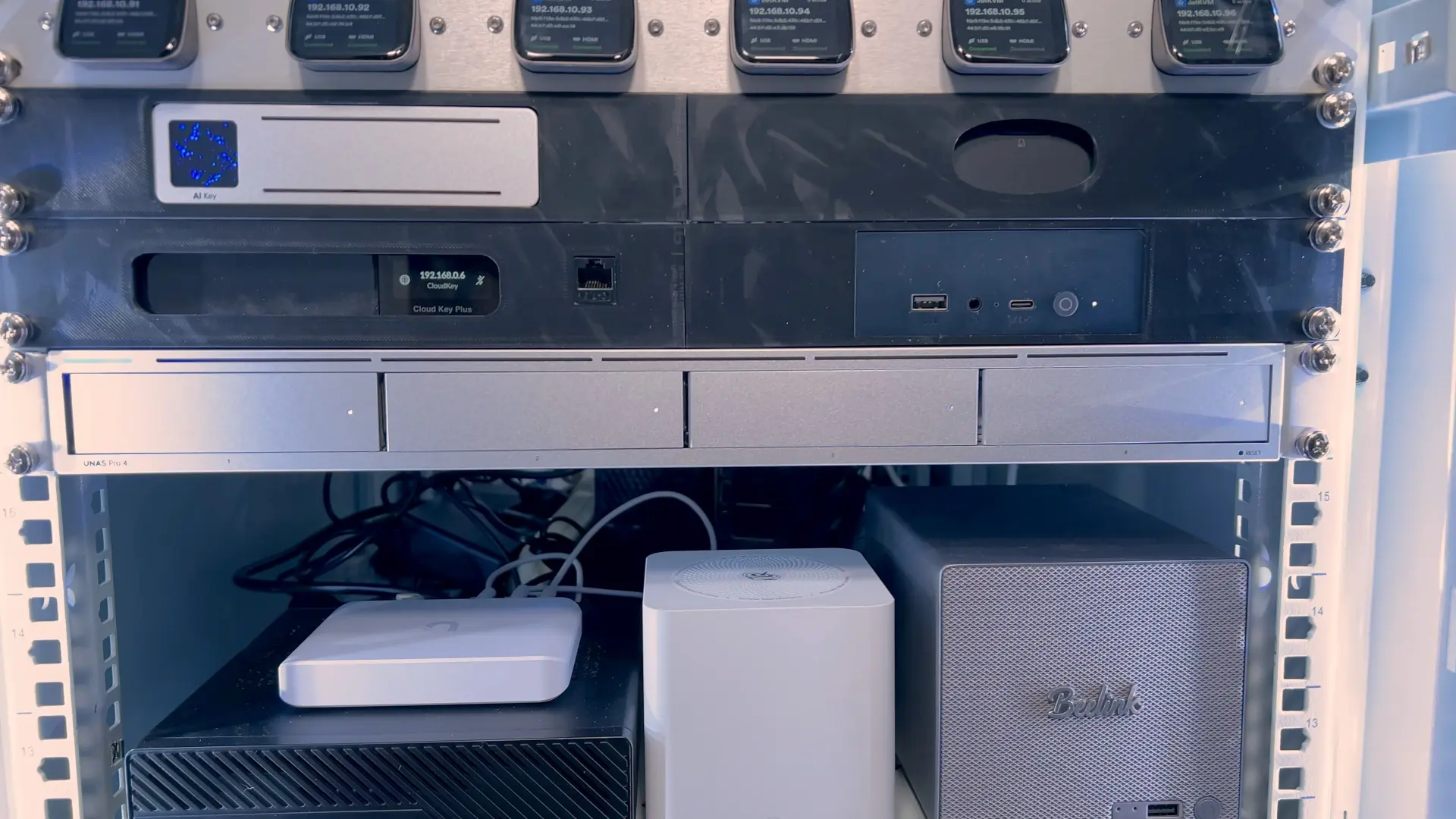 3D-printed rack housing the UniFi AI Key and Beelink EQ14
Storage testing
UniFi UNAS Pro 4 (video coming soon)
I’ve been testing this device for a long time, and I’ll show how I’m using it in a future video.
It’s loaded with four 20TB drives in RAID 5.
One shelf (GPU + mini boxes)
These three live together on a shelf:
- MinisForum MS-A1 + RTX 3090 (Oculink): used for testing that needs a dedicated GPU (including local AI testing/tutorials).
- Beelink ME Mini: all-NVMe box that I like more as an app/Proxmox/LXC server than a traditional NAS.
- Beelink ME Pro: a quiet hybrid mini NAS (NVMe + SATA) in an all meta case.
If I ever had to shrink the homelab, it’d probably come down to “bulk storage + app server + one flexible compute box,” and these smaller systems have been great for testing that idea.
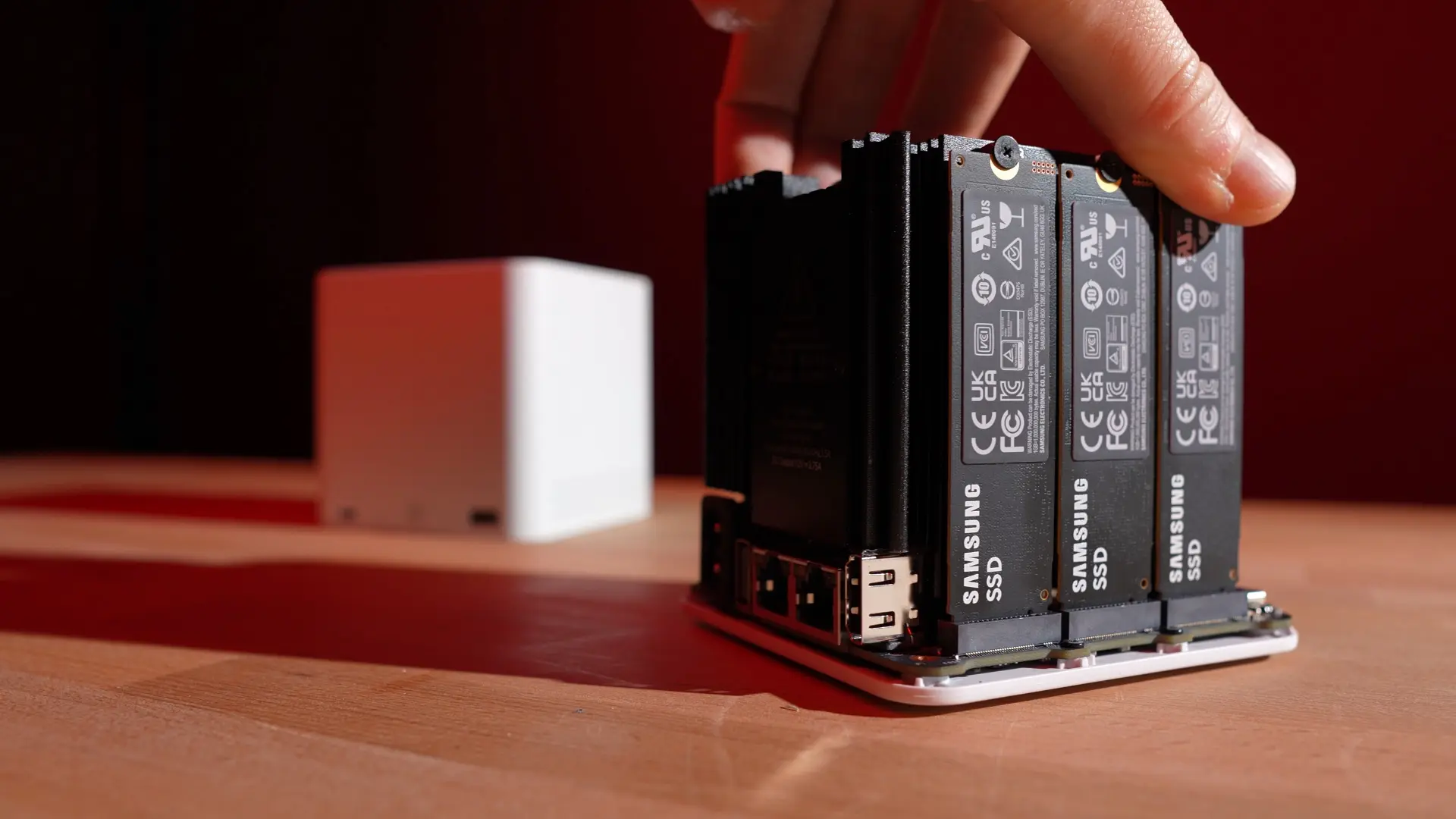 Beelink ME Mini - all-NVMe compact server
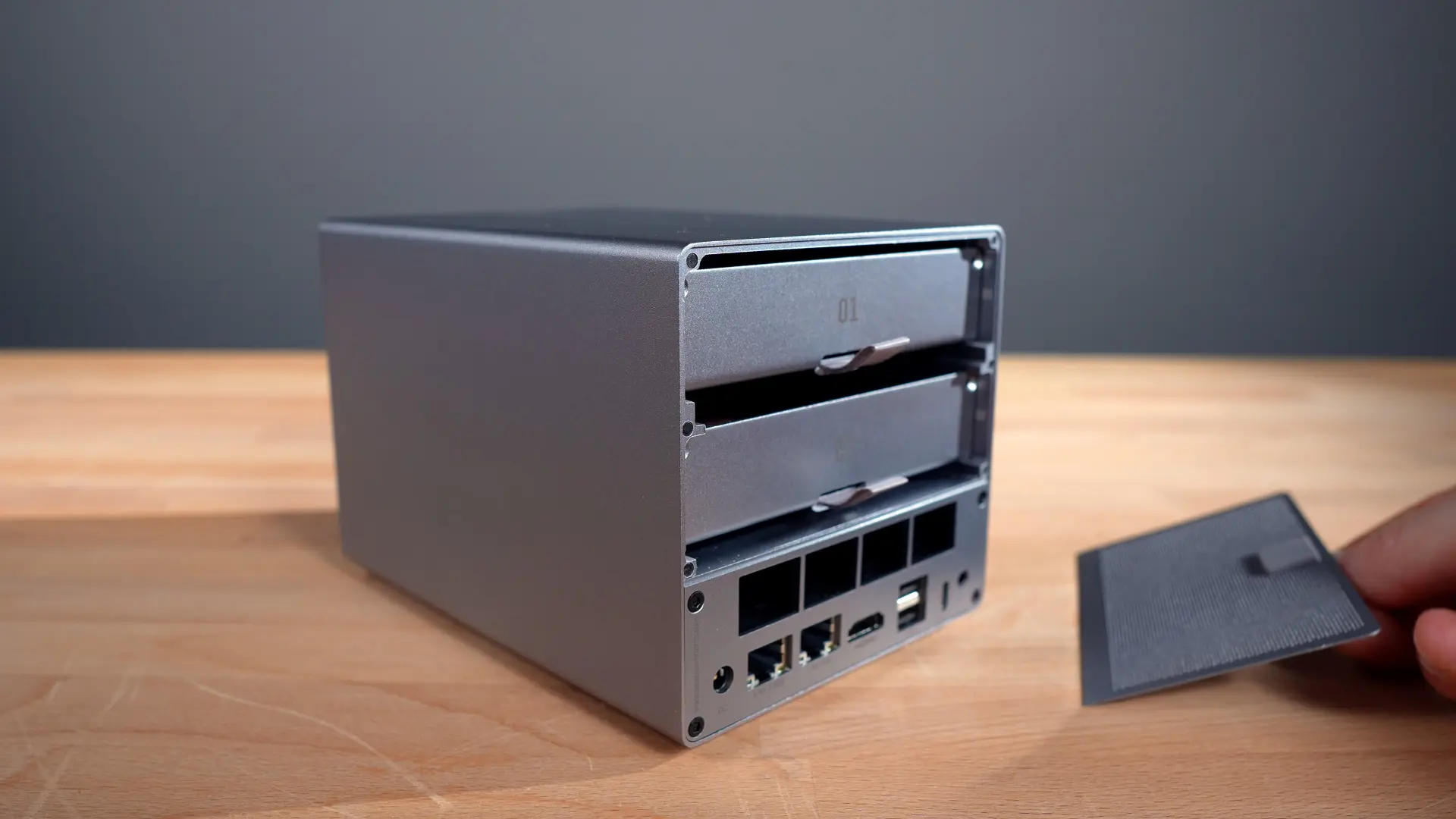 Beelink ME Pro - quiet hybrid mini NAS (NVMe + SATA)
1U Supermicro server (new build, video coming soon)
This is a “new to me” 1U Supermicro server. It’s older hardware, but it checked all the boxes I needed: 1U, lots of drive bays, and IPMI.
It’s running an Intel Xeon E5-2680 v4, has 16GB DDR4, and four 22TB Exos drives.
Storinator (big plans)
This is the 45Drives Storinator AV60. Right now it’s powered off, but it’s one of the bigger “next steps” in the rack.
The plan is to rebuild it around an EPYC CPU that Wendell sent me, but I’ve been holding off because DDR5 (and the board I want) has been hard to justify and hard to find.
As soon as the parts situation calms down, I’m going to gut it and bring it back online.
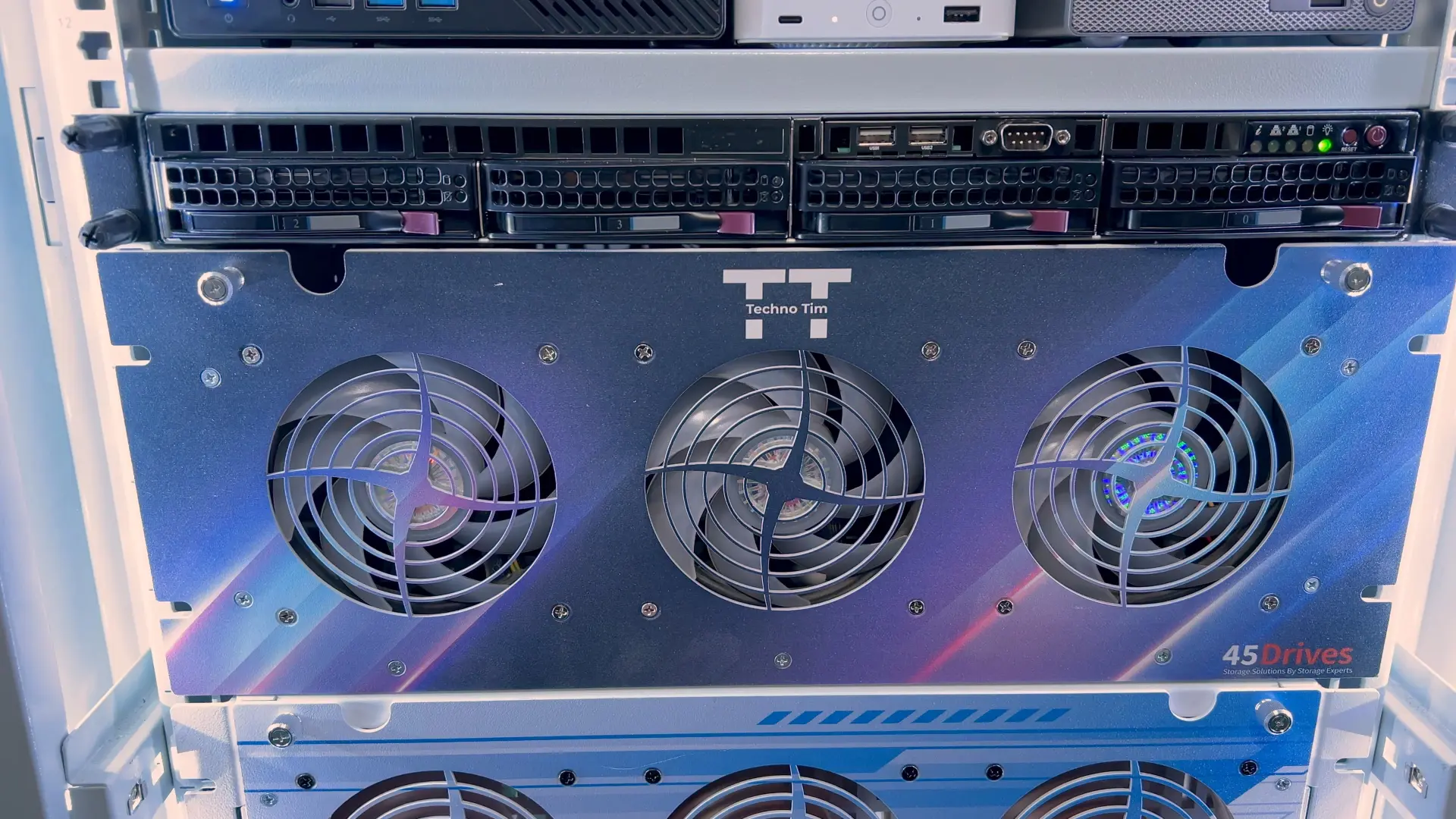 Storinator AV60 - future EPYC rebuild
45Drives HL15 (all-in-one TrueNAS refresh)
My HL15 has changed a lot this year.
The goal was to build a better all-in-one system (since new builds and parts are annoying right now), so I upgraded this box pretty heavily:
- 10x 14TB drives for bulk storage
- 256GB DDR (slots are maxed out)
- A better CPU (a Platinum upgrade from Patrick at Serve The Home)
- Noctua 120mm fans, a Noctua Xeon cooler, and a Seasonic PRIME 1600W Noctua Edition PSU
- More NVMe (including adapters to convert M.2 to U.2, and Oculink into PCIe lanes)
- An NVIDIA RTX A2000 inside the chassis for the workloads that need it
It’s running TrueNAS with ZFS. Right now it’s set up as mirrored pairs, but I’m planning to revisit the ZFS layout to trade some IOPS for more usable capacity and resiliency.
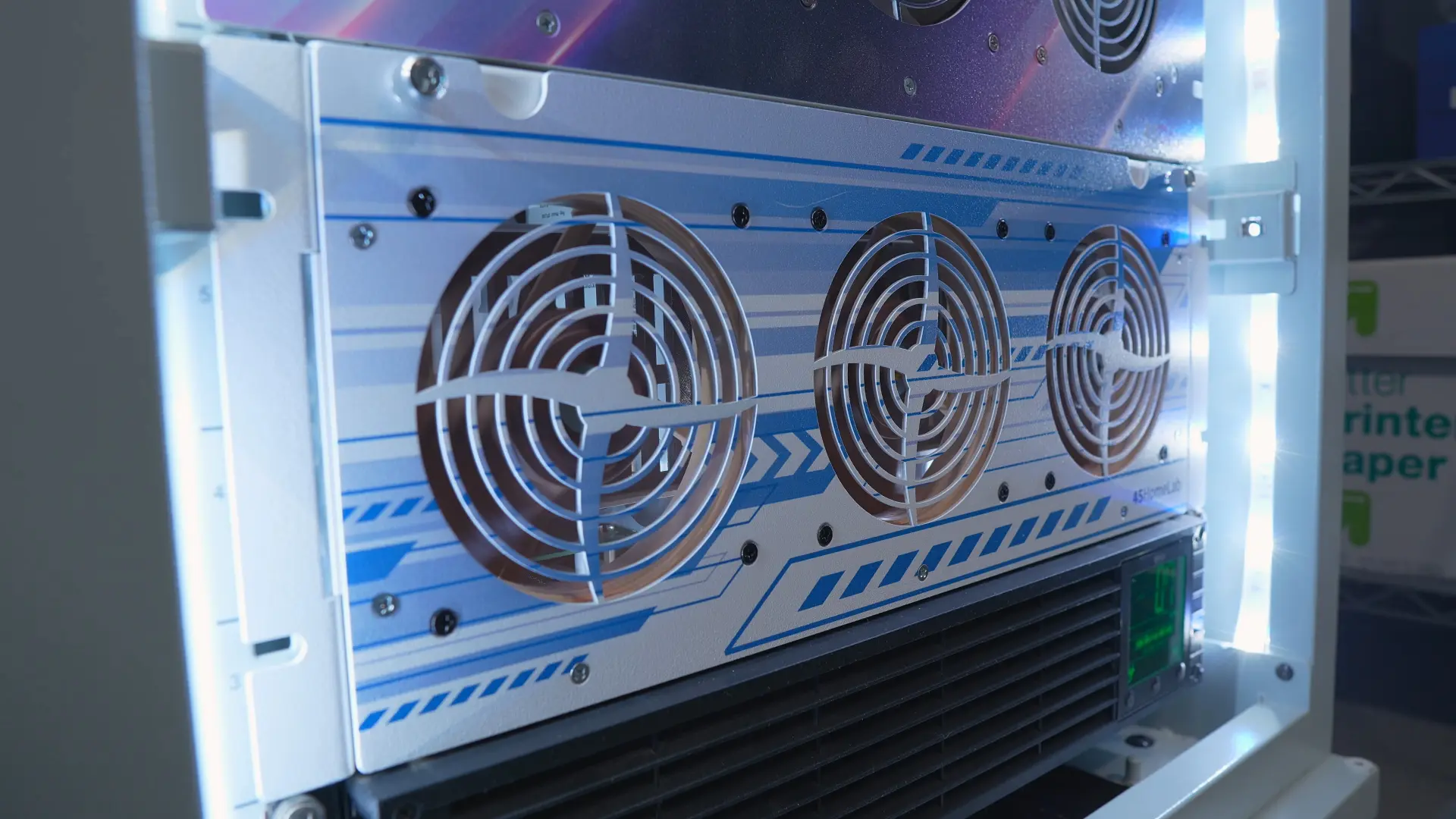 HL15 loaded with drives for bulk storage, GPU, and NVMe
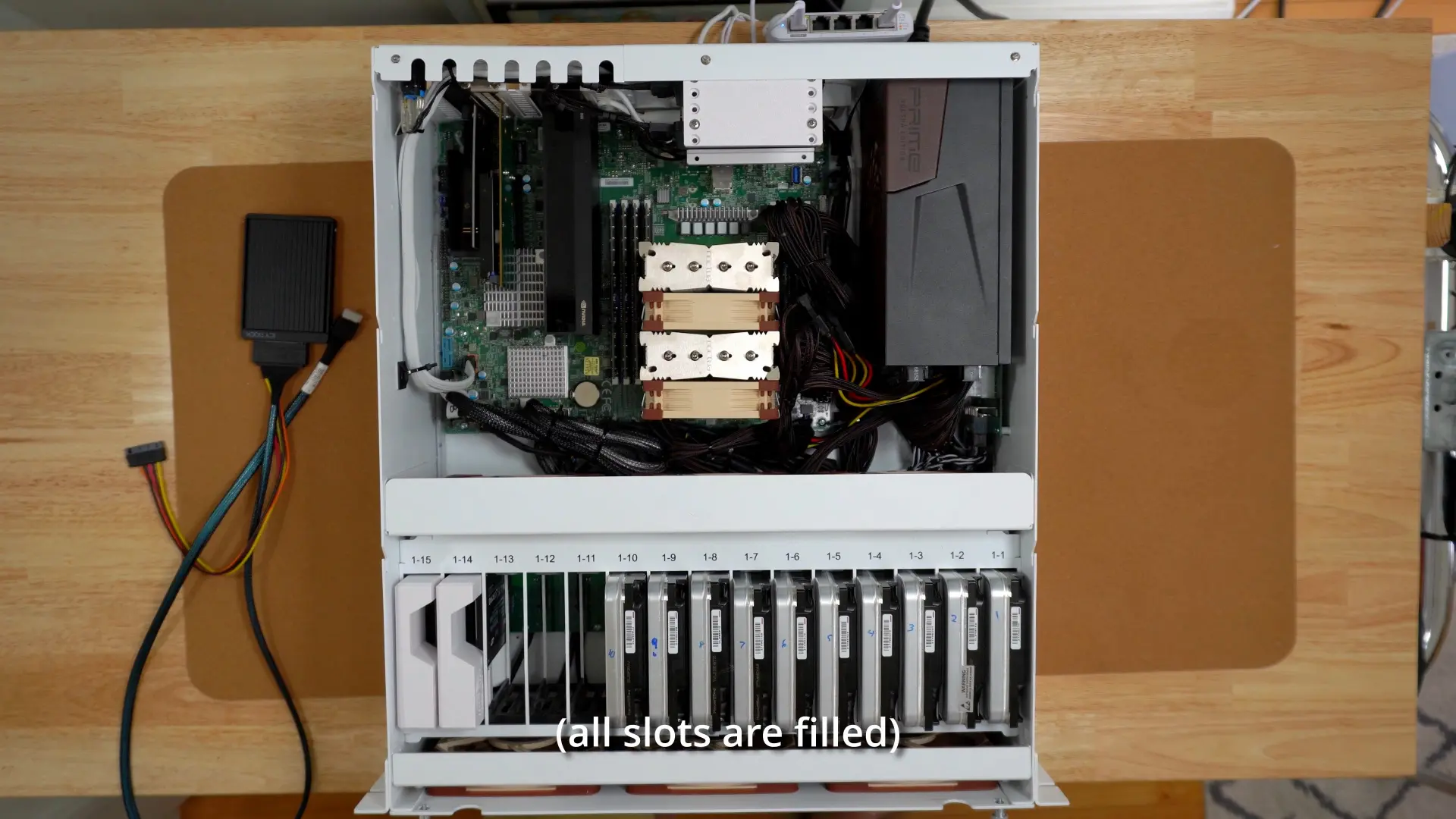 HL15 overhead view - all RAM slots filled
Backup internet (5G)
I’m using T-Mobile Home Internet over 5G as my backup link, and it’s already saved me a few times during outages.
The annoying part is that the SIM is locked to their gateway, which makes it impossible to use with the UniFi 5G Max. I really hope T-Mobile allows this or UniFi comes up with a way for us to use T-Mobile Home Internet with this device.
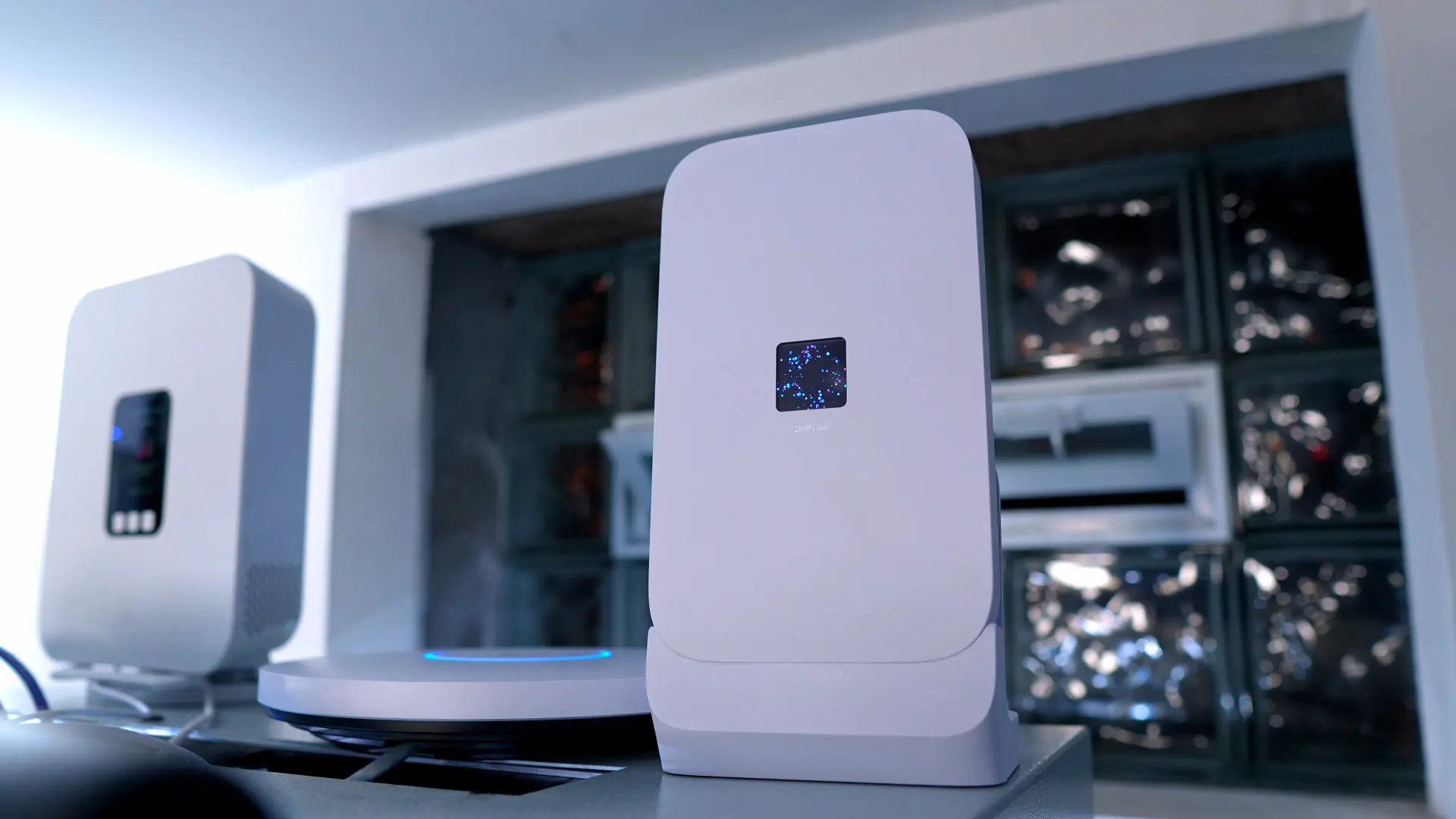 UniFi 5G Max with T-Mobile SIM as backup internet
What’s next
I’ll have a video soon on how I back up my servers.
I’ve also got another video coming that walks through the services running on all of these machines, and how I spread workloads across the rack.
📦 Gear list (affiliate)
Rack & Accessories
- 32u Rack
- 1u Brush Panels
- 1u Rack Mount Full Depth Shelf
- Right Angle Extension Cord
- UniFi Power Distribution Pro
Network
- Patch Panel
- Wall Mount Patch Panel
- UniFI EFG
- UniFi Flex Mini
- UniFi Flex 2.5 Mini
- UniFi Fortress Gateway
- UniFi Pro XG 48 PoE
- UniFi USW Pro XG Aggregation
Servers & Accessories
- UniFi UNAS Pro 4
- UniFi UNVR
- MinisForum MS-A1
- Beelink EQ 14
- HL15
- 14 TB Exos Seagate Drives
- 20 TB Exos Seagate Drives
- 22 TB Exos Seagate Drives
- Noctua 120mm fans
- Seasonic PRIME 1600W Noctua Edition PSU
- Noctua NH-U12S DX-4677 for Xeon
- NVIDIA RTX A2000
IoT & Sensors
- UniFi SuperLink
- UniFi Sensor (motion)
- UniFi Sensor (environment)
- UniFi Siren
- Broadlink RM4 Pro
- PoE Zigbee Adapter SMLIGHT SLZB-06
- Smart ZigBee LED Controller
- Hue Light Strip
- Hue Motion & Temp
- Hue Smart Bulb Starter Kit
- Cloud Lamp
Other gear mentioned
- JetKVM
- UniFi AI Key
- UniFi AI Port
- UniFi Cloud Key+
- UniFi Talk Phone
- UniFi 5G Max
- Raspberry Pi (NUT Server)
- Raspberry Pi Zero (Pi-hole)
Accessories
- Wall Control Galvanized Steel Pegboard
- Eaton 5P1500R UPS
- Tripp Lite 2200VA 1920W UPS Smart 2U Rackmount
- Tripp Lite BP36V15-2U Smart UPS 36V 2U Rackmount External Battery Pack
- APC 1500VA UPS
- APC 600 VA UPS
- Wall Power Strip
- Fire Extinguisher
Over the Air TV Gear
- HDHomeRun Network Tuner
- TV Tuner that supports 4K and up to 4 streams
- Indoor Outdoor Antenna
- LTE / 5G Filter
- Antenna Splitter with Passthrough
Intel NUC Mini Cluster
- Intel NUC 11
- Intel NUC 12
- SAMSUNG 980 PRO SSD 1TB PCIe NVMe
- SAMSUNG 870 EVO SATA
- G.Skill RipJaws DDR4 SO-DIMM Series 32GB
- Rackmount Kit Mk1 Manufacturing
(Affiliate links may be included in this post. I may receive a small commission at no cost to you.)
Join the conversation
My homelab has changed again… 2026.
— Techno Tim (@TechnoTimLive) February 23, 2026
Full rack tour + upgrades: network, compute, storage, and power.
Video: https://t.co/lcq0qhznIh
Chapters are in the description. pic.twitter.com/P5J9jrasWQ
🤝 Support the channel and help keep this site ad-free
🛍️ Check out all merch: https://shop.technotim.com/